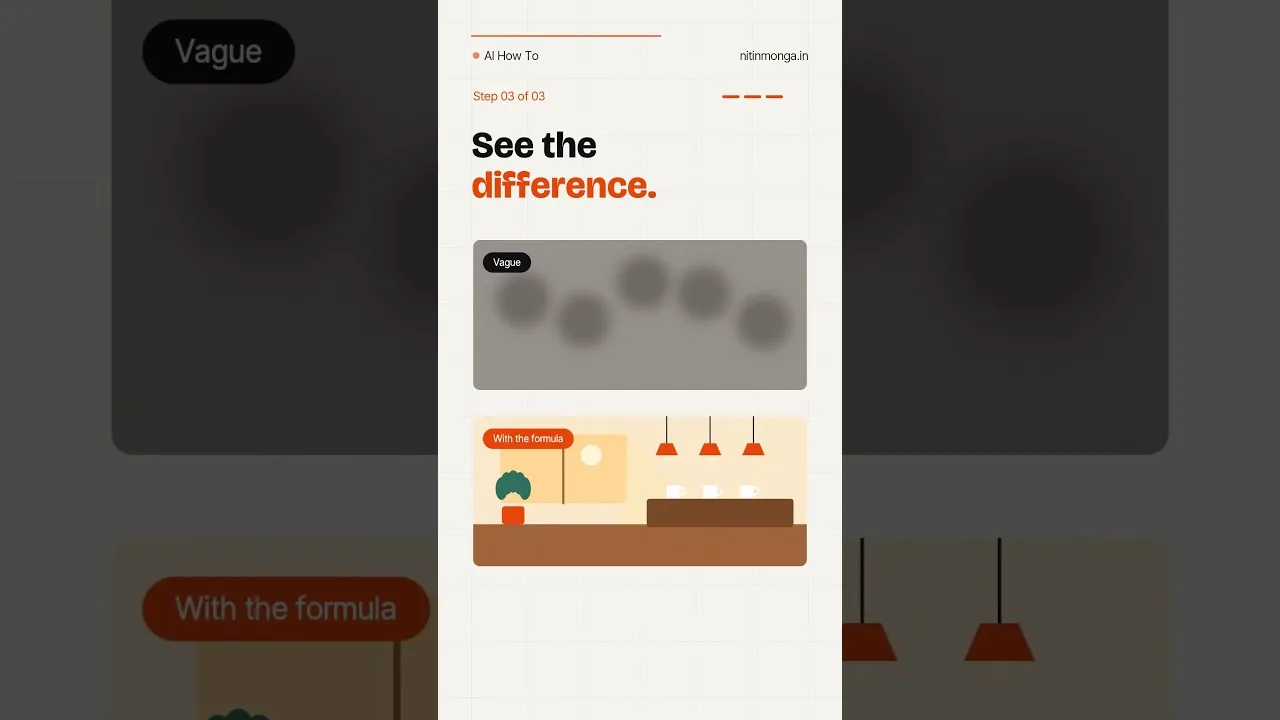
A prompt is a brief you hand to a very literal illustrator. Vague briefs get generic pictures; precise briefs get your picture. Whisk AI image generator accepts both text and reference images, and this guide teaches the text half of that partnership: how to order details, which words carry weight, and how to revise a prompt the way an editor revises a paragraph.
You will also learn how prompts and reference images divide the labour. Whisk's signature method lets images supply the subject, scene, and style while words steer and refine — knowing which channel carries which instruction is most of prompting well in this app.
Practise on one picture you genuinely want. Prompt craft learned against a real goal sticks; craft learned on random test images evaporates by morning.
Put the Subject First
Models weight early words heavily, so open with the subject and its most important trait: not 'a photo of a market at dawn with a woman selling flowers' but 'a flower seller in a dawn market'. The picture is about her; let the sentence admit it.
Follow with the setting, then the style, then light and mood. That order — subject, scene, style, light — is the skeleton under nearly every reliable prompt, and deviating from it should be a choice, not an accident.
Concrete Beats Clever
Write what a camera sees. 'Golden light through pine trees, mist on a lake' gives the model materials; 'peaceful nature vibes' gives it a mood to guess from. Adjectives that describe visible things — weathered, crimson, crowded, miniature — outperform adjectives that describe feelings about things.
Numbers and materials help surprisingly: 'three red apples on a wooden table' beats 'some apples on a table', because specificity removes the model's freedom to choose the boring default.
Style Words Steer Everything
A short style phrase recolours the entire rendering: 'watercolour illustration', 'candid 35mm photograph', 'flat vector icon', 'studio product shot'. Name the medium you want the result to pretend to be, and consistency follows almost for free.
The style system is explored fully in Whisk AI image styles explained; in prompt terms, remember that style words placed early steer harder than style words appended as an afterthought.
Let References Carry What Words Cannot
Some things words describe badly: a specific person's face, your product's exact shape, a beloved illustration's line quality. Those are the jobs of reference images in Whisk — upload the subject, scene, or style as a picture and let the prompt handle the rest.
The division of labour is the core method in the core image creation tools in Whisk AI explained: images for identity, words for action, setting changes, and emphasis. Prompts get shorter and results get closer when each channel does its own work.
Revise Like an Editor
Generate, look, and name the single largest discrepancy between the picture and your intention. Change the prompt to attack exactly that discrepancy, and generate again. One targeted revision per round teaches you the model's dialect while converging on the image.
Random rewording teaches nothing and converges slowly. Directed revision is slower per round and dramatically faster per finished picture, which is the only speed that matters.
Keep a Prompt Notebook
Save the winning prompt with the picture it made. Prompts are recipes; a notebook of proven ones — your portrait formula, your product-shot formula — turns future sessions from experiments into production.
Note the model behaviour each recipe relies on, too. After major updates, retest the notebook's greatest hits once each; most survive, and the few that drift need one word changed, which you will find in minutes because the recipe was written down.
Common Prompt Failures
The recurring failures are few: subjects buried at the end of long sentences, contradictions the model must average ('a tiny enormous dog'), style words fighting each other, and expectations of exact text, which image models still handle unreliably.
Each failure has the same cure — simplify the brief until each sentence carries one clear instruction. A prompt that reads like good plain instructions to a human illustrator is, not coincidentally, a prompt that works.
Prompting is briefing, and briefing is a writing skill: subject first, visible details, named style, one revision at a time. A week of deliberate practice changes your results more than any setting in the app.
Start the notebook today with the first prompt that truly works. Future you, facing a deadline and a blank canvas, will be grateful.
Revisit the notebook after every major update with a sceptical eye. Model dialects drift as models improve, and a recipe that needed three clauses last season may need two now — or four. The notebook is a living document, and five minutes of retesting protects months of accumulated craft from silently going stale.
One last exercise cements the craft: take a favourite photograph — yours or a classic — and write the prompt that would recreate it, then compare what the model builds against the original. The gap between the two is a precise map of what your descriptions still leave out, and closing it, image by image, is the finest prompting practice there is.
Your prompts will keep improving for as long as you keep looking at your own results honestly. That looking — not vocabulary, not tricks — is the discipline underneath everything on this page.